Best Carry-On Luggage With a Laptop Compartment (2026): Picks With a Front Panel
Carry-on
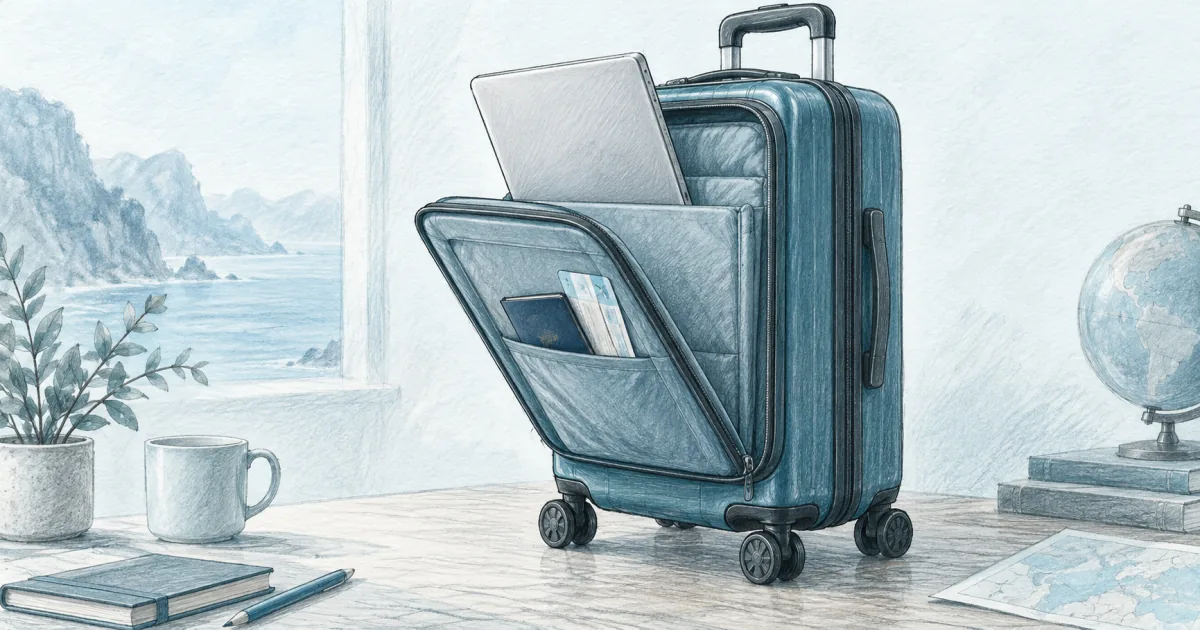
The best carry-on luggage with a laptop compartment puts the computer in a front panel you can open in a security line. Start with the LEVEL8 Grace for a front-door hardshell, or the TRAVELARIM 22 for a full tech panel with a tablet and power bank pocket.
Our picks
The best carry-on luggage with a laptop compartment for most travelers is the LEVEL8 Grace Expandable 20". Its front panel holds a 15.6 inch laptop where you can reach it at security, and the case still rolls like a normal spinner. That single feature fixes the worst part of flying with a computer.
A normal hardshell makes you open the whole case at a security line and show everyone your socks. A front panel lets you pull the laptop in one motion and keep moving. That is the whole reason to buy one of these cases instead of a plain spinner.
The tradeoff is space. A front pocket steals depth from the clothing side and adds a little hardware and weight. This guide covers the two shapes worth considering: a front door built into a hardshell, and a fuller tech panel that also holds a tablet and a power bank. If your computer usually rides on your back, the travel backpack guide owns that job, and the personal item guide covers the smaller under-seat bag.
The carry-on guides collect the rest of the one-bag setup, and the carry-on packing list covers what actually fits inside. If clothes space matters more than laptop access, the capacity-first carry-on guide is the right read, and the international carry-on guide covers the size and weight rules that catch people on foreign carriers.
Quick comparison
Best overall: LEVEL8 Grace Expandable 20"
The LEVEL8 Grace is the pick for a traveler who flies with a laptop and wants one bag for the clothes and the computer. The front panel is padded, it fits a 15.6 inch machine, and it opens like a door instead of a clamshell, which is what makes it useful in a moving line.
Its second useful feature is the expansion zip, which adds about 1.5 inches of depth and takes capacity from 36L to 42L. That is a return-trip feature. Expand it before you fly and you are past some airline size limits.
The case weighs about 9 pounds empty, which is the honest cost of the hard shell and the front panel. Rolling is easy. Lifting it into an overhead bin when it is full takes a moment. The shell has a textured finish that hides scuffs better than a glossy case does.
Who it is for: Business travelers, remote workers, and anyone who flies with a laptop and wants to stop carrying a separate laptop bag.
Skip if: You pack for a week of clothes. The front panel takes depth from the main compartment, and 36L fills fast.
Will a 15.6 inch laptop fit the front door?
Yes. The padded front sleeve is sized to 15.6 inches and the door opens on a three-sided zip, so the laptop slides out flat without opening the main case. A thicker 16 inch machine usually still fits if the sleeve is not also stuffed with a charger brick.
Best tech panel: TRAVELARIM 20" Carry-On
The TRAVELARIM is the pick if you want more than a laptop sleeve in the front. The panel holds a laptop, a tablet, and a power bank wired to the outside USB port, plus an insulated pocket for food, and it closes on its own zip. The USB port runs off your own power bank, which stays removable and in the cabin where lithium batteries belong.
It is also the lighter of the two cases at about 5 pounds empty, and that shows up when you lift it overhead. The trade is materials. The shell is not named in the listing, and the published interior depth is larger than the published exterior depth, so measure the inside yourself before you count on a specific packing plan.
The expansion adds 1.2 inches. Like the LEVEL8, that pushes the case outside its quoted size, so treat expansion as a road trip and hotel feature rather than a flight one. The included cosmetic case rides on the handle and holds toiletries, though it does not lock.
Who it is for: Tech-heavy travelers who carry a laptop, a tablet, and a power bank and want all three reachable without opening the case.
Skip if: You want a named shell material and a published warranty. This one lists neither.
Does the power bank pocket work without a battery?
Yes. The pocket is a holder wired to an exterior USB port, and the power bank is not included, which is the point. You slide your own removable battery into the pocket so the lithium cell stays in the cabin where airline rules want it.
Front door vs full tech panel
There are two ways to give a hard case a laptop compartment, and the difference matters more than the brand.
A front door, like the panel on the LEVEL8 Grace, opens on three sides and lays flat against the case. You get fast access and the main compartment stays closed. The cost is depth, and the door can be stiff to close when the case is packed tight.
A full front panel, like the front section on the TRAVELARIM, puts an organizer inside that door: laptop, tablet, power bank, documents, and sometimes a snack pocket. You get more pockets and a wider opening, and you lose more usable depth from the main side.
Both beat a plain clamshell for a laptop traveler. Neither is as roomy as the same case without the front pocket, so choose the shape that matches how you actually travel.
Which front design holds up better over time?
Both hold up, but for different reasons. A three-sided front door has fewer moving parts, so there is less to break. A full tech panel has more pockets and zips, so it collects more wear but keeps everything in one place. Wash neither, and check the zips before a long trip.
How the two picks compare on the specs
The read on the table is simple. The LEVEL8 trades weight for a bigger main compartment and a hard, textured shell. The TRAVELARIM trades capacity for a lighter carry and more pockets in the front door. Neither expansion is a flight feature once the case is packed.
What to check before you buy
A handful of details decide whether a laptop carry-on works for you.
- Laptop size in inches, not "fits most laptops." A 15.6 inch sleeve is common. A 17 inch machine usually needs a bag, not a case.
- The real exterior size with wheels. A 20 inch case with wheels can still clear a domestic bin. Expanded, it often will not.
- Empty weight. Every pound in the shell is a pound you cannot spend on clothes.
- Whether the power bank comes with it. It usually does not, and an airline-safe design keeps it removable.
Measure your laptop first, then compare the case to your airline's published limit. A case that fits the bin is worth more than a case with one extra pocket.
How do I measure a laptop against the sleeve?
Measure the laptop's width and depth with a tape, then compare those numbers to the sleeve, not to the case size. A 15.6 inch sleeve is common. A thin 16 inch machine often fits, while a thick 16 inch gaming laptop usually needs a backpack or a dedicated laptop bag.
Who should skip a laptop-compartment carry-on
Skip one if you fly with a backpack and never check a bag. A travel backpack puts the weight on your hips and shoulders and handles stairs better than any roller. The personal item bag guide covers the under-seat option if you travel with a small laptop and one change of clothes.
Skip one if you want maximum clothes space in a carry-on. The front pocket always costs depth. The capacity-first guide is the better read for that trip, and the international carry-on guide covers the weight caps that matter on foreign carriers.
And skip one if you rarely travel with a computer. The feature costs money, weight, and packing room, and it does nothing on a beach trip.
Final takeaway
Buy the LEVEL8 Grace Expandable 20" for the best all-around carry-on with a laptop compartment, because the front door keeps a 15.6 inch laptop reachable at security and the case still rolls like a normal spinner. Buy the TRAVELARIM 20" Carry-On if you want the fuller tech panel with a tablet sleeve, a power bank pocket, and a lighter empty weight.
Either way, keep the front pocket for tech and let the main side do the clothes. Pair the case with the cable organizer so chargers do not float loose, and keep the rest of the setup in the carry-on guides.
Frequently Asked Questions
What is the best hand carry luggage with a laptop compartment?
The LEVEL8 Grace Expandable 20" is the best pick for most travelers. Its front panel opens on a three-sided zip so a 15.6 inch laptop slides out without opening the main case, which is the whole point of the feature. The TRAVELARIM 20" is the better choice if you also want a tablet sleeve, a power bank pocket, and a lighter empty weight.
What is the best carry-on luggage with a laptop compartment and cup holder?
Cup holders show up on some hardshell carry-ons as a fold-out ring on the side of the shell or the handle. They are handy and they cost you a little shell thickness and a little money. If a cup holder matters more than a padded laptop sleeve, buy for that feature, because very few cases do both well.
What hard case carry-on luggage has a laptop compartment?
Hardshell cases with a front laptop pocket use one of two designs. A front door opens on three sides and lays flat, like the LEVEL8 Grace. A full front panel puts an organizer inside that door, like the TRAVELARIM. Both let you pull the laptop without opening the main compartment, and both eat some depth from the clothing side.
What is the best laptop bag with compartments?
If you want the computer on your back instead of in a case, a travel backpack with a padded rear laptop sleeve is the better tool. It handles stairs and long walks better than a roller. See the travel backpack guide for the carry-on-sized options, or the personal item guide if you want a smaller under-seat bag.
Does a front laptop compartment eat packing space?
Yes, always. A front panel takes depth from the main side and adds a little weight in hardware. Expect a laptop case to hold roughly one outfit less than the same case without the front pocket. Pack the main side first and treat the front as tech and documents only.
Can you fit a 16 inch laptop in a carry-on laptop compartment?
Some bags claim up to 15.6 inches but accept a thin 16 inch machine. Measure your laptop's width and depth, then compare it to the sleeve, not to the case size. A 16 inch laptop with a thick shell often needs a backpack or a dedicated laptop bag instead.
Is a laptop-compartment carry-on worth it?
It is worth it if you fly with a computer at least a few times a year and you are tired of opening a whole suitcase at security. It is not worth it if you travel with a tablet or a phone, because you would be paying in money, weight, and clothes space for a feature you never use.
Can a front laptop pocket case go under the seat?
Usually no. These cases are sized for the overhead bin. A personal item that slides under the seat is a different bag, with a smaller footprint and no wheels. If under-seat stowage is the goal, read the personal item guide instead.