Best Travel Cable Organizer (2026): 4 Pouches for Chargers and Cords
Organizers
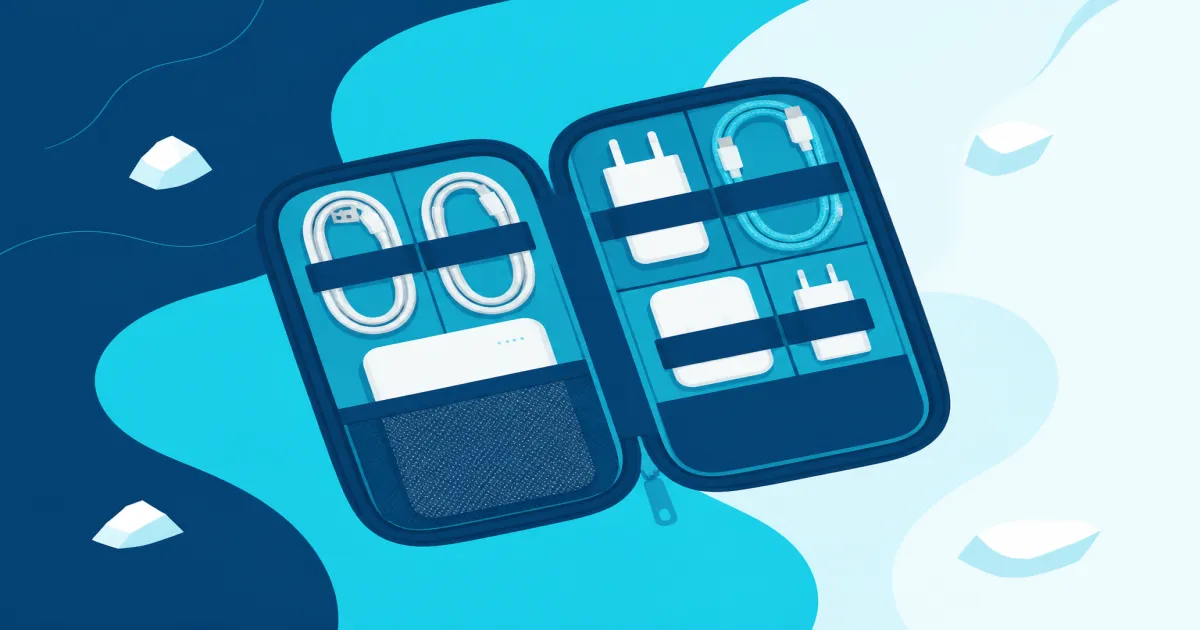
The best travel cable organizer keeps chargers and cords in one pouch you can pull from your bag. Start with the tomtoc for a laptop kit, then size up or down with BAGSMART.
Our picks
The best travel cable organizer turns a loose pile of chargers into one pouch you can pull from a personal item. You want cords visible, plugs protected, and enough room to close the zipper without forcing it. Get those three things right and the pouch stops being something you dig through and becomes something you trust.
This guide owns the cable and charger side of the bag, from which pouch to buy to how to load it. If your kit has grown past cords to include an e-reader or a tablet, the best travel electronics organizer covers the bigger multi-device pouches, and best travel pouches covers the smaller grab bags.
Everything here belongs to the organizer guides, which collects the whole series for our picks on cables, laundry, and luggage extras. A cable pouch sounds like a small purchase, but it is the one that keeps a carry-on functional on day four of a trip.
Quick comparison
The tomtoc gives most travelers the best balance of capacity and structure. The compact BAGSMART takes less room, while the large BAGSMART adds space at the cost of a bigger footprint. The Peak Design Tech Pouch is the premium option, with flexible dividers and a weatherproof shell.
Best overall: tomtoc Electronic Organizer Travel Case
The tomtoc Electronic Organizer Travel Case is the best travel cable organizer for most people because its two compartments handle a normal work-trip kit without turning into a second personal item. One side takes the hard charger brick, the other holds the cables and smaller accessories.
The medium case measures about 9.65 by 5.12 by 2.76 inches. That fits a laptop charger, a phone plug, a power bank, earbuds, and a handful of cords. Because it stands up on its own, you can reach in without dumping everything out. If you carry several oversized laptop bricks, measure the biggest one before you buy, because even this case can feel tight when you push it.
Who it is for: Travelers who carry a laptop and phone charging kit and want one case that is easy to reset at the end of each trip.
Skip if: You only pack one cable and a small plug. A zip pouch is enough.
Pros
- Dual compartments keep charger bricks away from loose cords
- Opens flat like a book so nothing hides at the bottom
- Sturdy enough to stand alone on a desk
- YKK zippers hold up to repeated packing
Cons
- Too large for one cable and one small plug
- Several oversized laptop bricks may not fit comfortably
Best compact: BAGSMART Electronics Travel Organizer
The BAGSMART Electronics Travel Organizer uses two layers and seven expandable mesh pockets to make small accessories visible. Its flatter shape fits a backpack or personal item more easily than a deeper tech pouch, so it is the pick for a lean kit rather than a full work setup.
A gaming-laptop brick or several chunky international plugs can crowd the second layer. Buy this one when your kit is mostly cables, earbuds, SD cards, a phone plug, and one modest power bank. Choose the tomtoc if you need to fit a full laptop charger without pressing against the zipper.
Who it is for: Travelers who want a slim case for small tech instead of a deep catch-all pouch.
Skip if: Your daily kit includes a full-size laptop brick. The compact pockets will fight you.
Pros
- Seven expandable mesh pockets keep cords visible
- Slim dual-layer shape fits easily in a personal item
- Light padding protects earbuds and a drive
Cons
- Less room for bulky laptop power supplies
- Fixed pockets cannot adapt to every charger shape
Best budget large case: BAGSMART Large Electronic Organizer
The BAGSMART Large Electronic Organizer Travel Case is the inexpensive full-size option. Mesh pockets and elastic loops keep cords, cards, drives, and a power bank visible, and it fits more than the compact BAGSMART without moving into premium pricing.
Fill every pocket and it becomes a large slab inside a personal item. The fabric and zippers feel less premium over time, which is fine if you want a cheap dedicated tech zone you can replace later. Empty the pouch after each trip so dead cables do not accumulate.
Who it is for: Budget travelers who want a large case with mesh visibility and elastic loops.
Skip if: You already fight for personal-item space. The compact BAGSMART or the tomtoc will pack cleaner.
Pros
- Low cost for a full-size electronics case
- Mesh lid makes cords easy to find
- Fits a phone, power bank, and multiple cables
Cons
- Build and zippers feel less premium long-term
- Large footprint can crowd a packed personal item
Best premium: Peak Design Tech Pouch, Eclipse
The Peak Design Tech Pouch, Eclipse is the pick for frequent travelers who want dividers they can reshape. Its origami-style pockets fold flat or stand up to hold charger bricks, cables, and earbuds, and the shell is weatherproof nylon for the walk between the terminal and the curb.
A cable pass-through lets you charge from the pouch without unpacking it, which is handy at a gate seat. The layout is adjustable rather than fixed, so a kit with a laptop brick and several cords does not force the zipper. The trade is the price. This costs more than the tomtoc and both BAGSMART cases, and you pay for the flexible dividers rather than more capacity.
Who it is for: Travelers who carry bricks, cables, and earbuds every week and want dividers they can reshape.
Skip if: You want the lowest price for a basic cord kit. The tomtoc or the compact BAGSMART does that for less.
Pros
- Adjustable pockets you can reshape
- Weatherproof nylon shell
- Cable pass-through
Cons
- Premium price
How to choose a travel cable organizer
Start with the biggest item in your kit. If that is a laptop brick, you need a case with a real compartment for it, which points to the tomtoc. If the biggest thing you carry is a phone plug, the compact BAGSMART is plenty.
Then decide how you want to see your cables. Mesh pockets and light interiors make black cords easy to spot, which matters more than it sounds when you are repacking in a hurry. A book-style opening beats a deep bucket, because you can lay the whole kit flat on a desk instead of digging.
Finally, check the closing. A pouch that forces the zipper when it is full is a pouch you will stop using. Buy a size up rather than cramming a kit into the wrong case.
Look for fixed elastic loops, mesh pockets, or zippered panels that hold coils in place when the bag tips. An open pocket with no dividers becomes a tangle in a day, and a mesh or clear face helps you find the right cable without emptying the pouch onto a hotel bed.
Zippers should open wide so you are not fighting a narrow mouth, and a bright interior lining makes black cables easier to see. External grab loops help clip the pouch into a personal item, and water-resistant fabric is a bonus near toiletries, though it is not a substitute for keeping liquids in their own bag.
What belongs in a minimal travel tech kit
Start with the devices on this trip, not the drawer of old Micro-USB leftovers. For most people that is a phone charger brick, one matching cable, a laptop charger if you need the computer, an earbuds case, and a power bank if you actually drain your battery during the day.
Add a second cable only if you charge a phone and a laptop from different ports at the same time, or if you share a bag with a partner. Skip three universal cables that all do the same job, and skip full-length home cords when a shorter travel cable works at hotels.
Adapters earn space on international trips. For domestic US travel, leave wall adapters home unless your brick is oddly shaped. Camera batteries, e-reader cables, and work badges go in labeled slots if they are daily tools. They do not go in a clothing cube to save a pouch.
What actually fits in each size
A compact two-liter pouch holds roughly two ten-foot USB-C cables and three six-foot cables, plus a phone plug, earbuds, and a slim power bank. That is the daily-carry size, and it fits a personal item easily.
The tomtoc medium sits a step above that. It takes the same cords plus a laptop charger and a card drive, and it still closes without a fight. This is the size for a work trip with a laptop rather than a phone-only weekend.
The large BAGSMART is for the traveler who also packs adapters, a second power bank, a mouse, and a couple of drives. It is the right case for a long international trip and the wrong one for a one-bag weekend.
How to pack chargers without the knot
Coil every cable the same way before it goes in. Over-under loops or simple loops with a Velcro tie both work if you are consistent. Never shove a straight cord into a pocket and hope. Bricks go flat against a panel, and cables nest in loops beside them, not under the brick where weight flattens the coil.
Pack the pouch last into the suitcase lid or first into a personal item. You need chargers at security trays, gate seats, and hotel desks. Burying the tech kit under compression cubes means you unpack the whole bag to find the right cable.
Label cables with small tags if you own three identical black cords, or buy different lengths so muscle memory kicks in. Either beats the five-minute untangle before a morning call.
Packing habits that keep a pouch working
Give every cable the same pocket every time. When each cord has a fixed home, you notice a missing one before you leave the hotel instead of at the airport.
Park the heaviest brick against a structured wall rather than on top of earbuds. Weight on soft accessories is how a screen or a drive gets cracked.
Keep the cable you charge your phone with on the road in the top pocket or an external slot, so you never unpack the whole case for a boarding pass.
Empty the pouch after each trip. Dead cables and mystery adapters accumulate fast, and a pouch that is half junk is a pouch you stop trusting.
Keep liquids away from it completely. Damp toiletries and electronics do not mix, so the hanging toiletry bag stays its own layer in the bag.
Reset the pouch every night and return each cable to its slot before you sleep. The tangle starts when one cord lives on the nightstand and another ends up in a jeans pocket.
If you pick up a hotel loaner cable, quarantine it in a zip bag until you decide it stays, rather than dropping it into the main pouch.
Common cable packing mistakes
Packing every cable you own just in case. Mixing tech with shirts in one cube. Using a pouch with no internal structure. Leaving coils untied. Staging the kit at the bottom of a backpack under water bottles. Buying a huge organizer and treating empty pockets as invitations.
Another mistake is carrying three half-dead power banks. One charged bank beats three questionable bricks, so test charge levels the night before you leave.
When a cable organizer is not worth it
Skip a dedicated pouch if you only carry AirPods and a short USB-C cable in a jacket pocket. Skip an oversized electronics case if your personal item is already full, because a bulky case just moves the clutter around.
Also skip it if you never carry a charger brick. The whole reason to buy a tech pouch is to separate hard plugs from soft cables, and if you have neither, a small zip bag does the same job for less.
Final takeaway
The best travel cable organizer for most laptop-and-phone kits is the tomtoc Electronic Organizer Travel Case. It has room for real chargers and a layout you can read at a glance, and it opens flat instead of hiding cords in a bucket.
Choose the compact BAGSMART Electronics Travel Organizer if you mainly pack cords, earbuds, and small plugs. Choose the BAGSMART Large Electronic Organizer when you want more accessory storage at the lowest price of the four. Choose the Peak Design Tech Pouch when you want dividers you can reshape and a weatherproof shell and do not mind paying more.
Then keep the rest of the bag tidy with the best packing cubes for carry-on travel, and keep liquids separate with the best hanging toiletry bag. If your kit grows past cords, size up to the best travel electronics organizer.
Frequently Asked Questions
What is the best cable organizer for travel?
The tomtoc Electronic Organizer Travel Case is the best cable organizer for travel if you carry a laptop charger along with your phone plug and cords. It has two compartments, so hard bricks stay away from loose cables. If your kit is only cords, earbuds, and a small plug, the compact BAGSMART pouch takes less room for less money.
What is the best way to organize cables?
Give every cable a fixed home and coil it the same way each time. A pouch with mesh pockets or elastic loops beats a loose bundle, because you can see what is missing before you leave the room. Keep the heaviest brick against a structured wall and the thin cords in the mesh, and reset the pouch when you get home.
Do I need a tech pouch if I only pack one USB-C cable?
No. A small zip pouch or a packing cube pocket is enough for one cable and a plug. Buy a dedicated organizer when you regularly carry charger bricks, adapters, earbuds, drives, or a travel adapter.
Should cables go in packing cubes?
Cubes are for clothes. Hard chargers and a nest of cords belong in a tech pouch so they do not stretch fabric or snag zippers. Keep apparel cubes separate, and see the best packing cubes for carry-on travel for that side of the bag.
What size pouch should I buy?
Measure your laptop brick first. If it only fits diagonally with the pouch half open, size up. A pouch that forces the zipper shut is a pouch you will stop using by day two.
Are cable ties enough instead of a pouch?
Ties help inside a pouch, but on their own they still leave bricks loose in a backpack. The pouch is the layer you can grab whole at a security line or set on a hotel desk.
Can I use a toiletry bag for cables?
You can, but damp toiletries and electronics are a bad mix. Keep liquids in a hanging toiletry bag and cables in a dry tech organizer so a leaking bottle never reaches your charger.
Is a hard case better than a soft pouch for chargers?
A hard shell protects better in a checked bag but adds bulk and weight. A soft pouch with light padding is the better carry-on choice, because it squashes into whatever space is left and still keeps cords separated.
How do I stop cords from tangling inside the pouch?
Coil each cable the same way every time, use elastic loops or Velcro ties, and give every cord a fixed slot. Do not dump loose cords into one open pocket.
Do I need a separate pouch for plug adapters?
Only if you travel internationally often. A slim sleeve for plug adapters next to your main cable pouch beats one overstuffed case.
What belongs in a minimal tech kit?
A phone charger, one spare USB-C or Lightning cable, an earbuds case, and a small power bank if you use one. Skip duplicate bricks you never used on the last trip.
Where should the pouch sit in my bag?
A lid pocket, front panel, or personal item works best. You want one-motion access at security and at the hotel desk without unpacking your clothes.